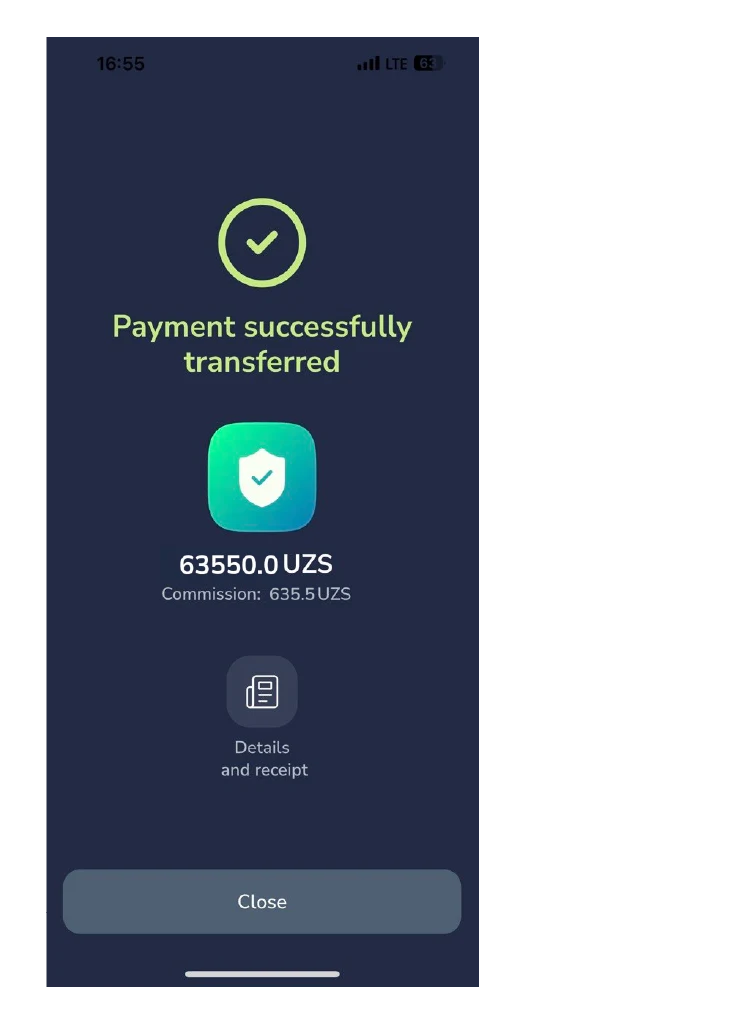
Pay voluntary social insurance contributions for myself
This guide will walk you through the process of making voluntary social insurance contributions for
yourself quickly and securely via the “Baraka” mobile application. This ensures your eligibility for
temporary disability, maternity, and funeral benefits.
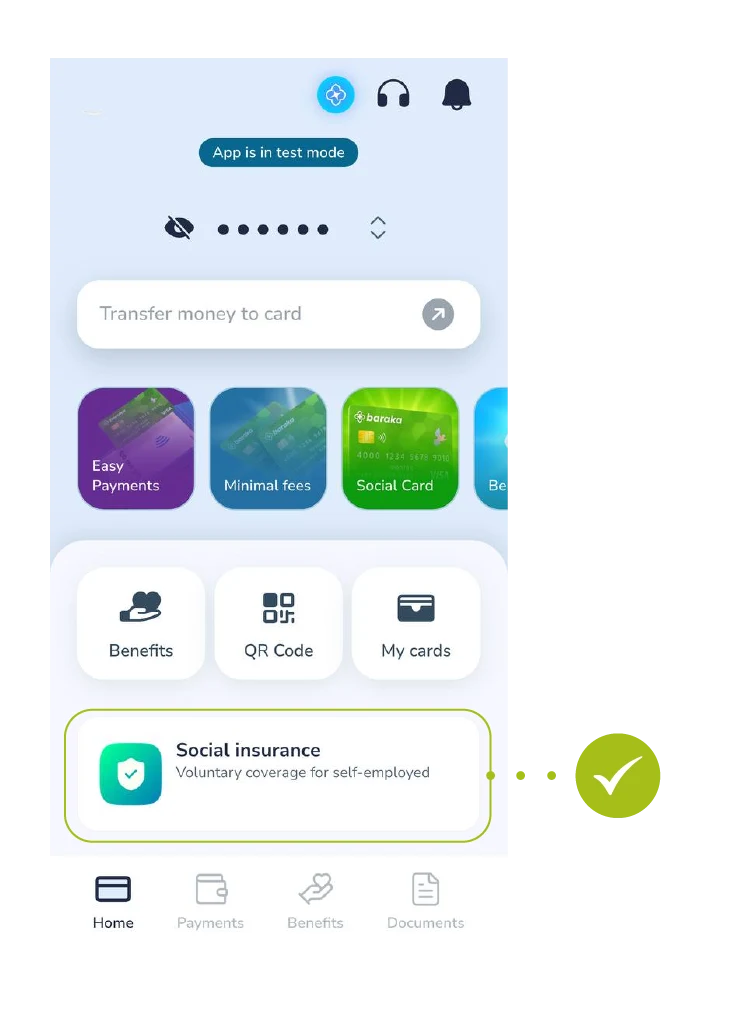
Step 1: App Login and Section Selection
- Log in to the main screen of the Baraka application. From the menu, select the “Ijtimoiy sug’urta” (Social insurance) section.
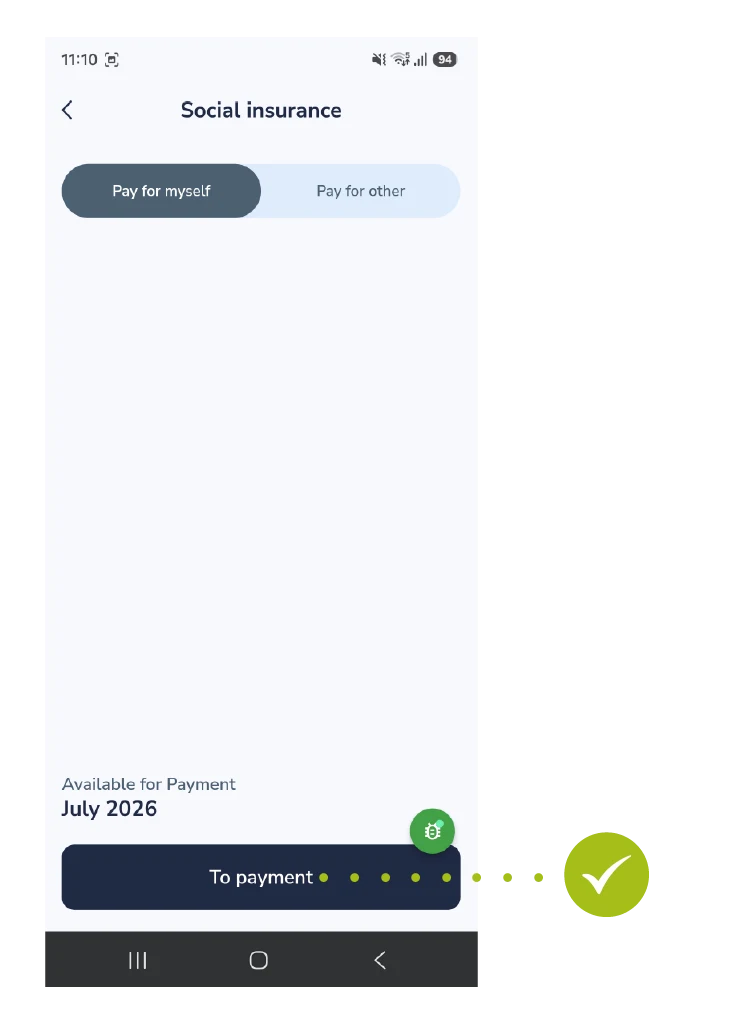
Step 2: Selecting Payment Type
- Select the “O’zim uchun to’lash” (Pay for myself) option from the top tab menu. The current payment period will be shown at the bottom. Tap the “To’lash” (To Payment) button to proceed.
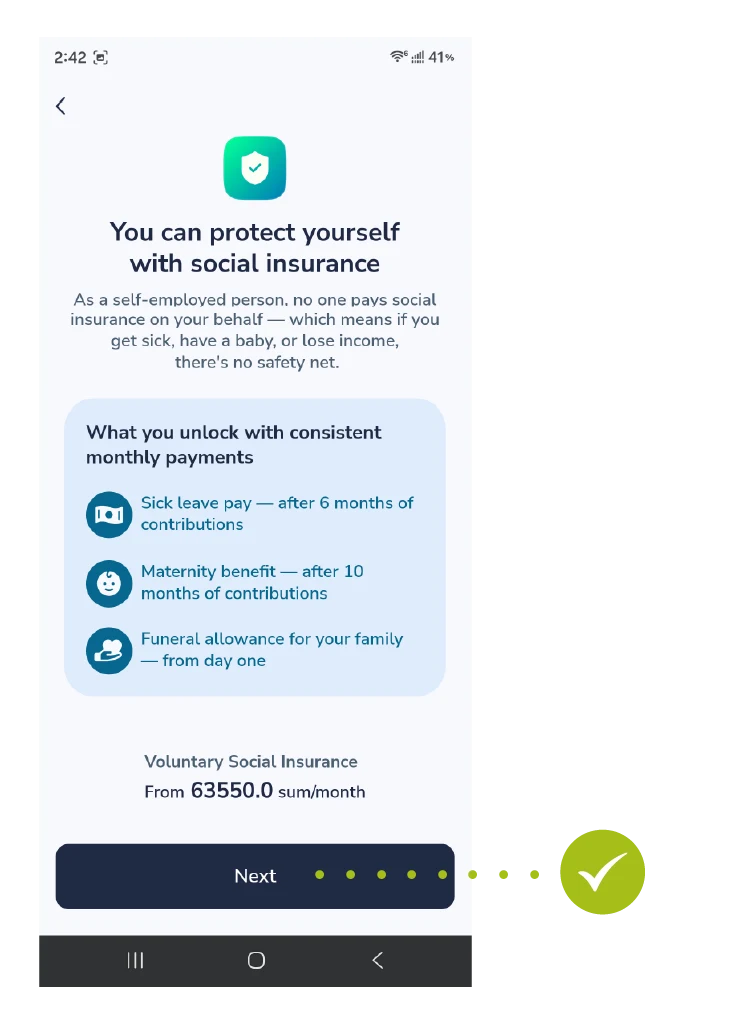
Step 3: Reviewing Benefits and Terms
- This screen highlights the insurance coverage benefits and states the minimum starting contribution. Read the details and tap “Keyingi” (Next).
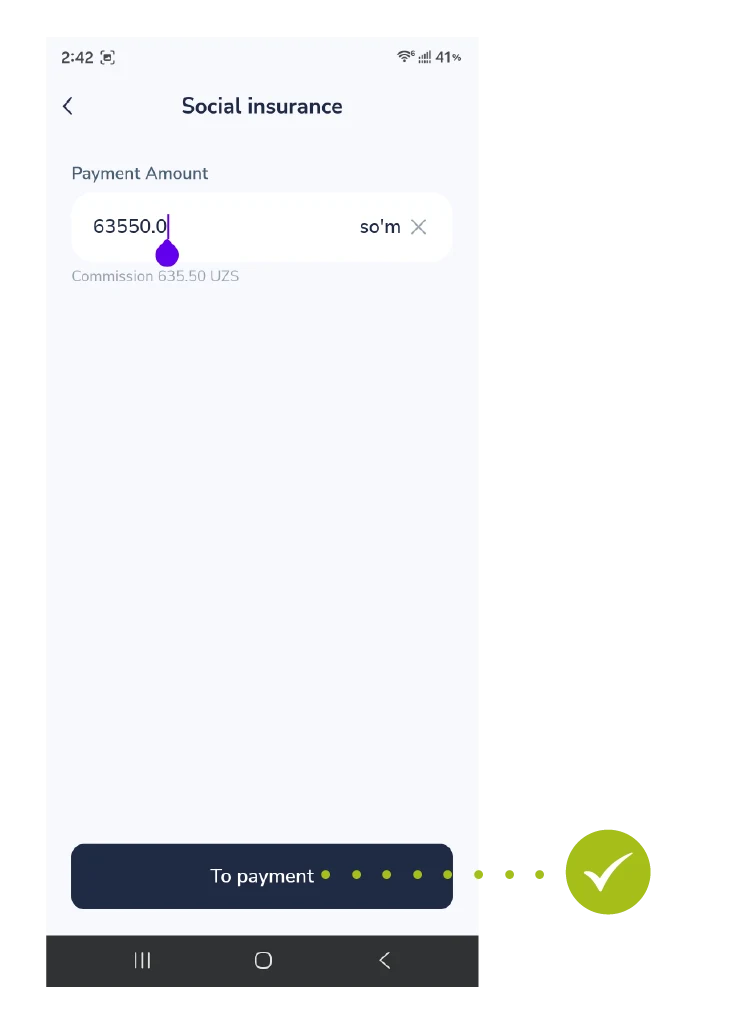
Step 4: Entering the Payment Amount
- Type your desired payment amount into the input box. The application will show the required minimum amount and the processing fee. Tap “To’lash” (To Payment) at the bottom.
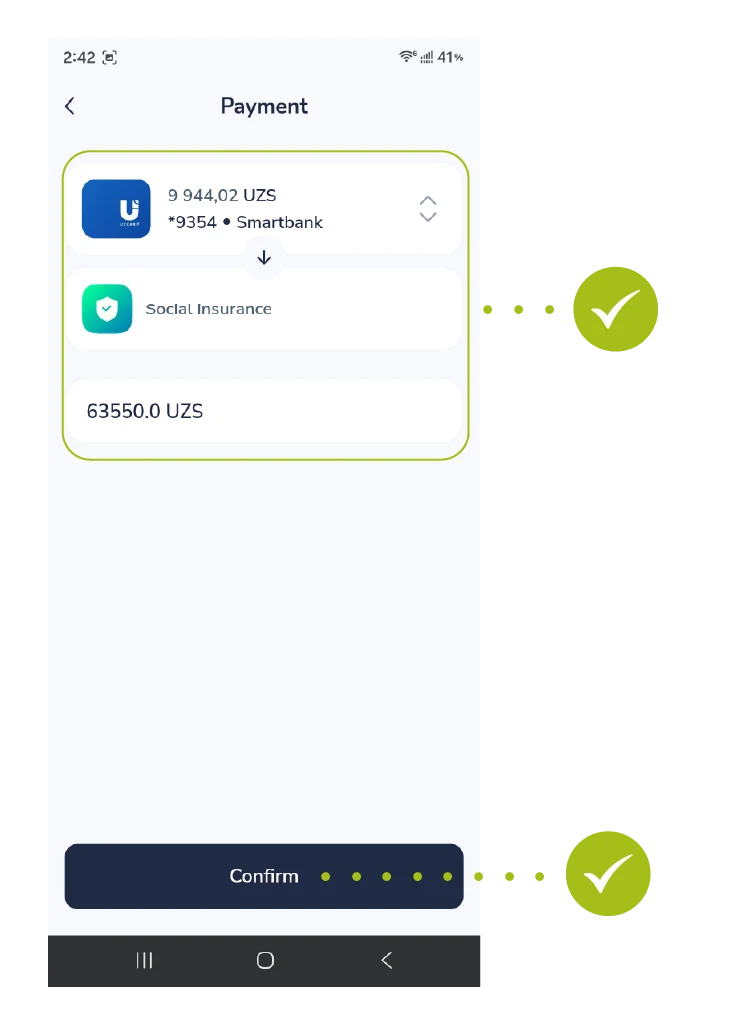
Step 5: Card Selection and Confirmation
- Select your registered bank card from the option list. Re-verify the payment destination and the total payable sum, then press the “Tasdiqlash” (Confirm) button.
Step 6: Successful Payment
- Success! A green checkmark and the notification “To’lov muvaffaqiyatli o’tdi” will appear. You can complete the session by clicking the “Yopish” (Close) button.