
Saved payments
Saving transactions completed through the Baraka mobile app as a template allows you to perform subsequent payments even faster and more conveniently.
This feature helps users save time by eliminating the need to re-enter details for regular payments.
Creating saved payments for regular services is carried out in the following steps:
Step 1: Making the Payment
- Access the “Payments” section in the main menu.
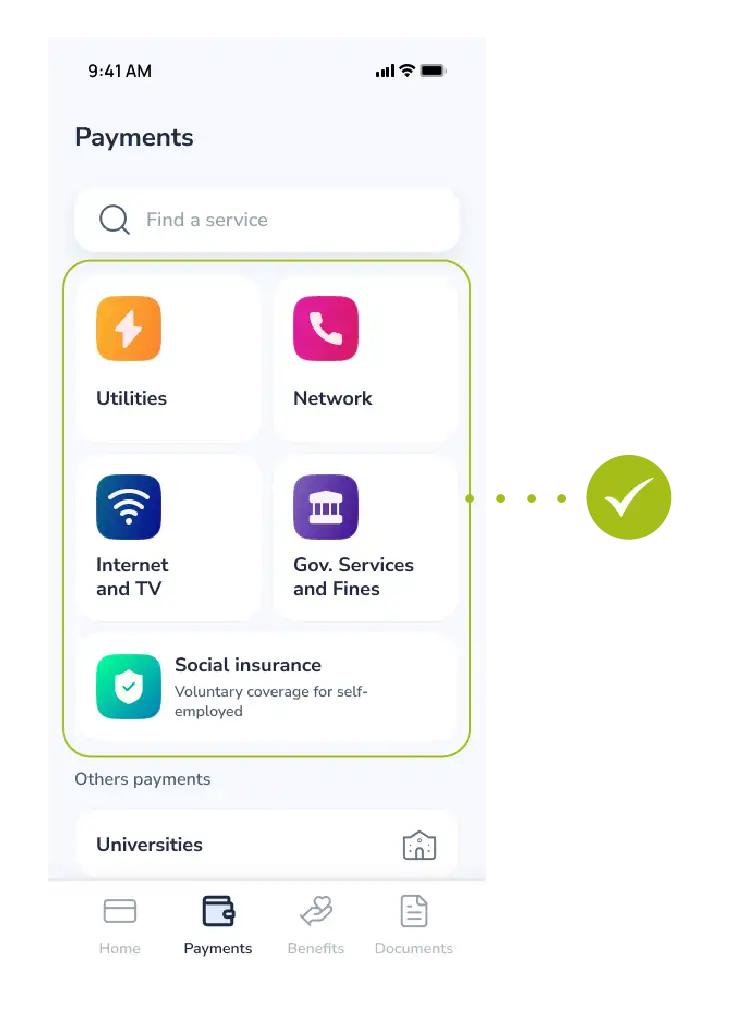
- Select the required type of service (Internet, mobile communication, utilities, etc.).
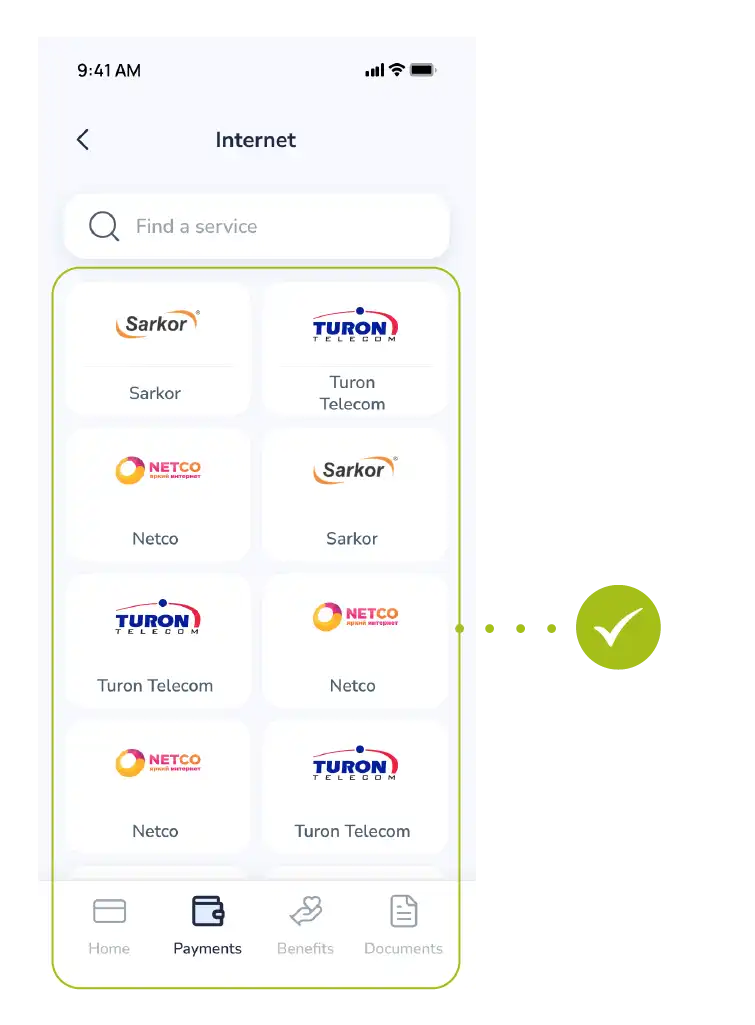
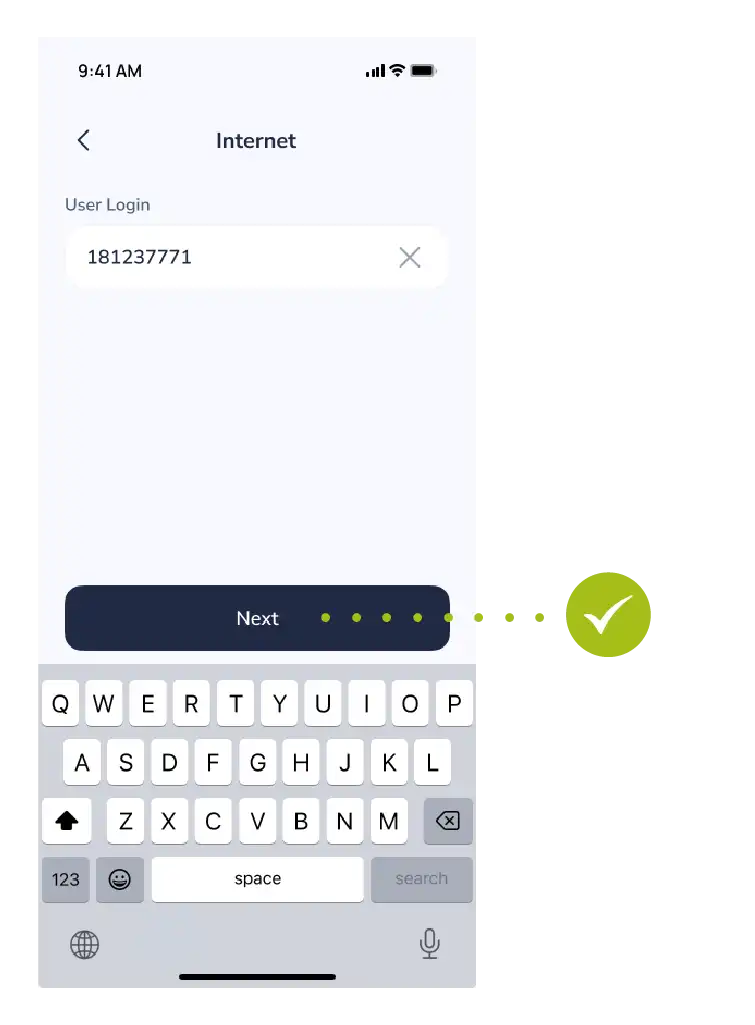
- Enter the relevant account number or subscriber code and tap the “Next” button.
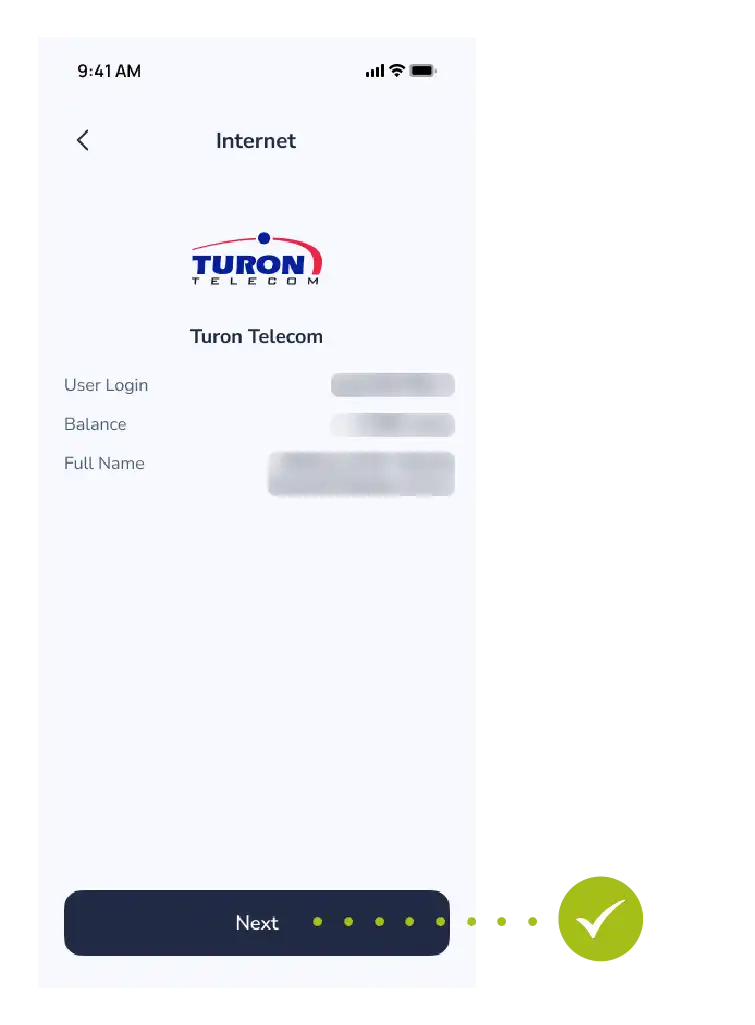
- The payment details will be displayed on the screen.
- Select the card from which the funds will be debited and complete the transaction by tapping the “Pay” button.
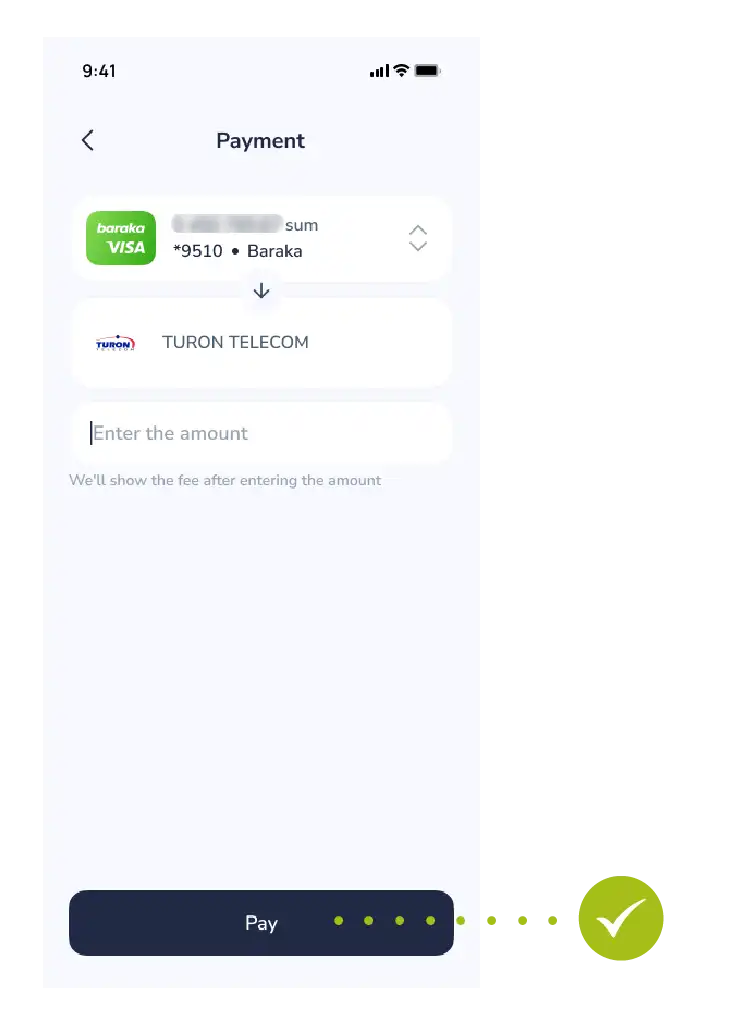
Step 2: Creating the Template
- Once the payment is successfully completed, tap the “Save” button that appears on the receipt or result window.
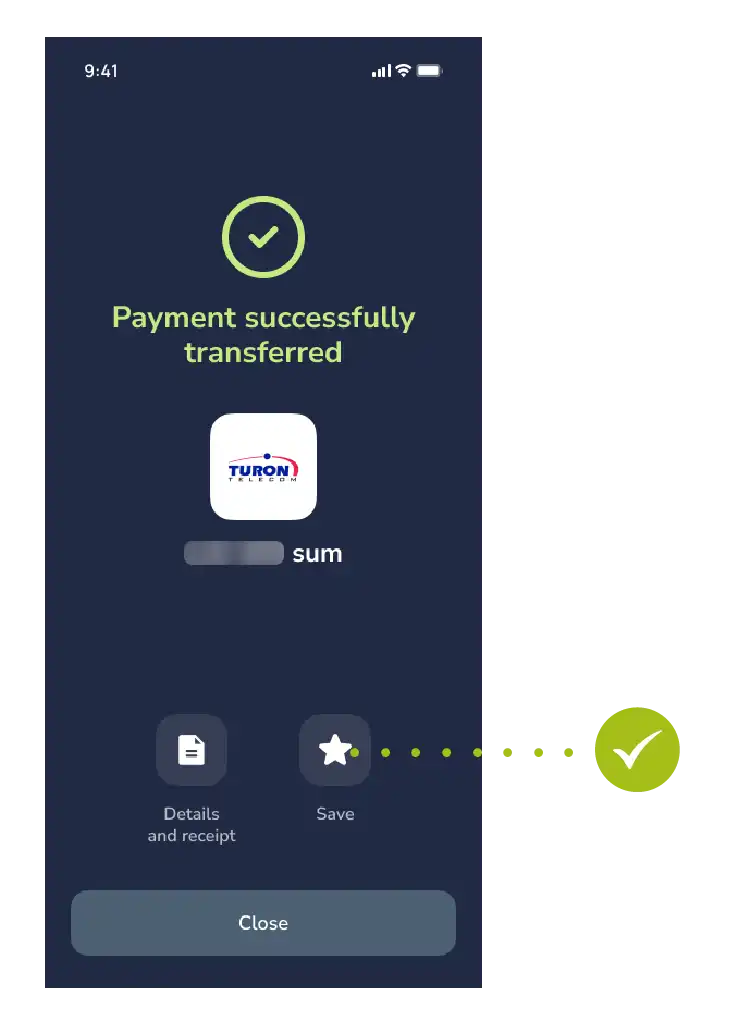
- In the window that opens, give this payment a name that is clear to you (for example: “Home Internet”, “My Number”, or “Electricity”).
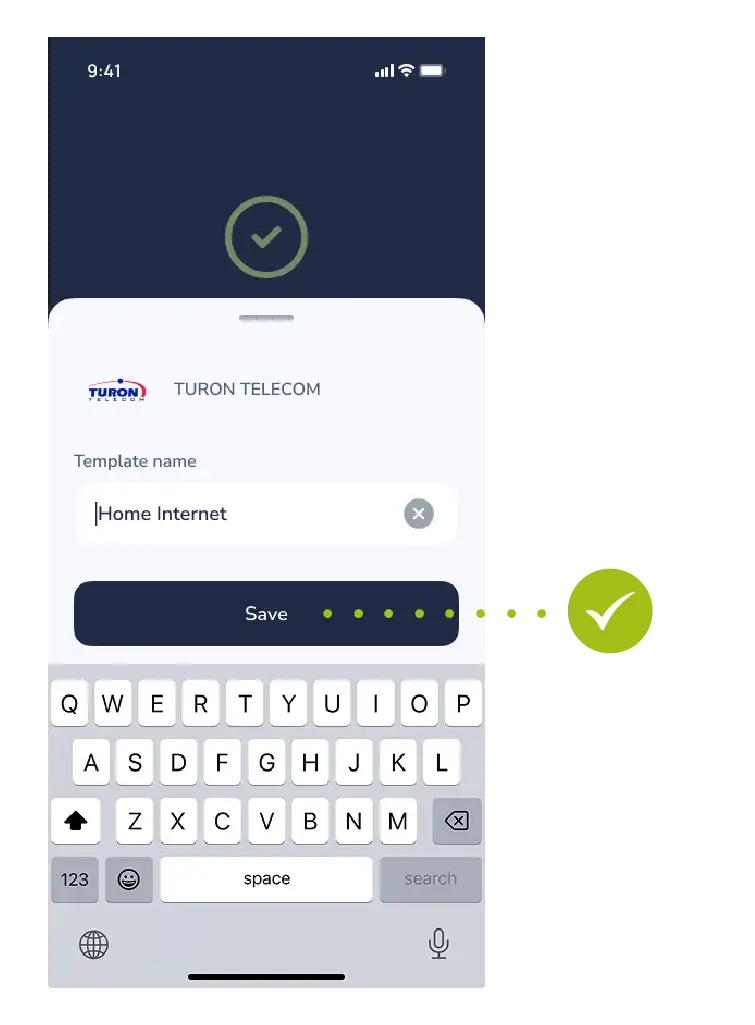
Step 3: Confirmation and Usage
- Once the name is entered, tap the “Save” button once again to complete the action.
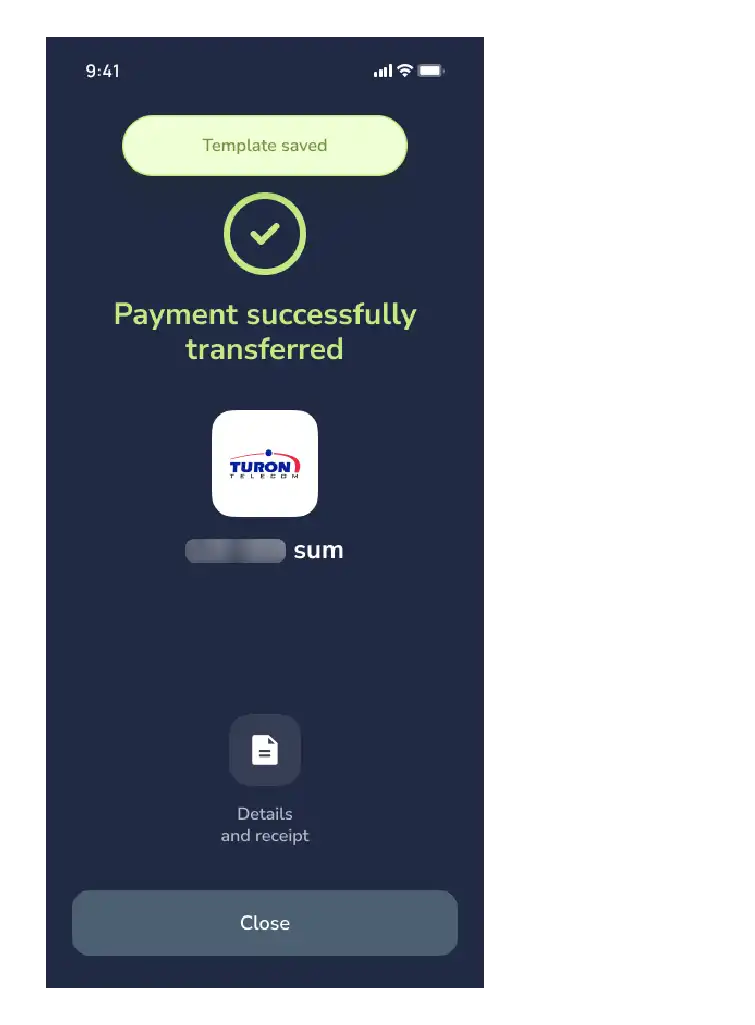
- This completes the process.
Now this payment template will permanently appear in the “Saved Payments” section of the main menu.
For Reference: Next time you want to pay for the same service, you can use the “Saved Payments” section directly, without spending time searching for the service.

