Pay voluntary social security contributions for other
This guide will show you how to make voluntary social insurance payments for another person (relatives or third parties) via the “Baraka” mobile application.
Step 1: Navigating to “Social Insurance”
- From the main screen of the Baraka app, select the “Social Insurance” service widget.

Step 2: Entering Details (For Someone Else)
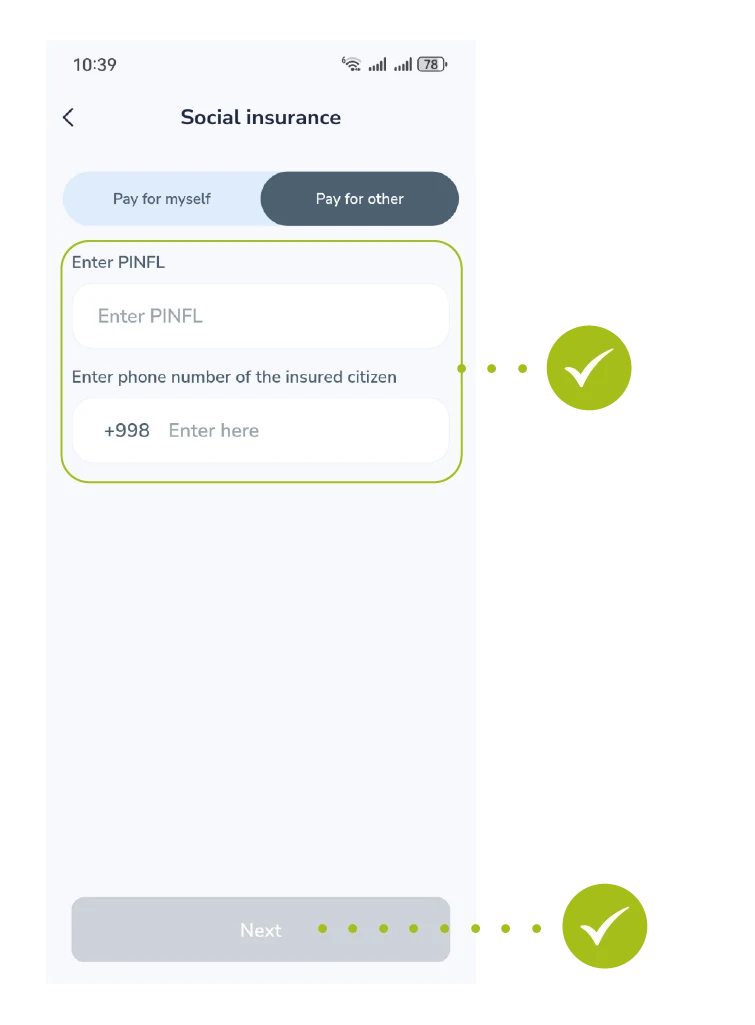
- Switch to the “Pay for other” tab. Enter the person’s PINFL (JSHSHIR) and Phone number, then tap “Next”.
Step 3: Verifying Personal Information
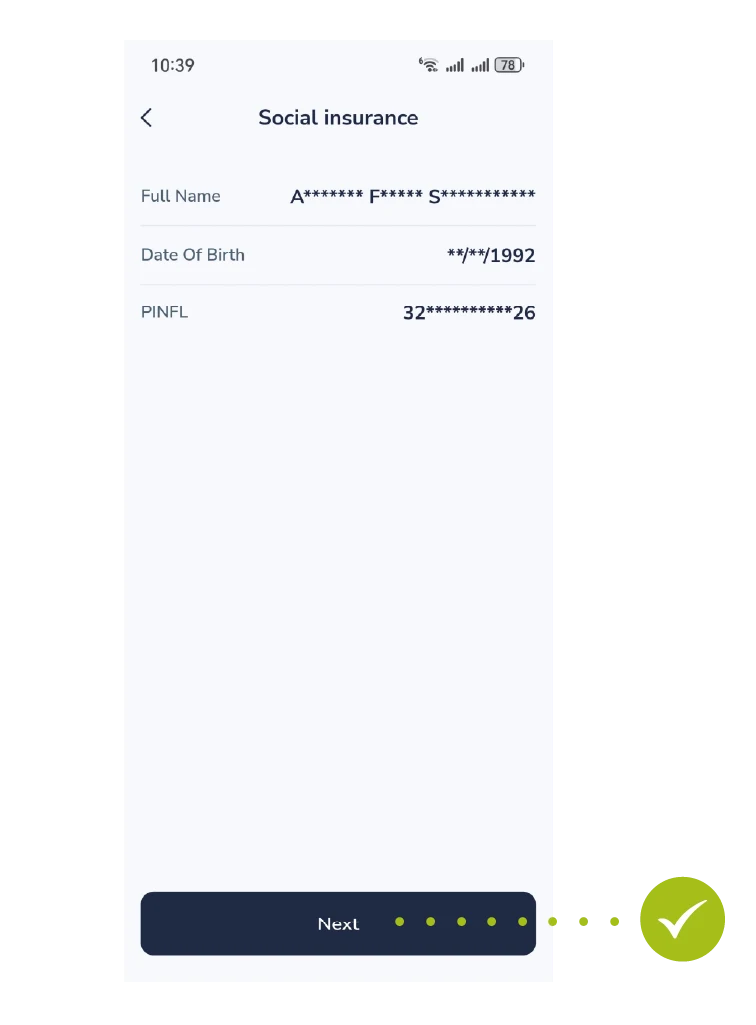
- The system fetches and validates the full name and birth date. Confirm the accuracy of the displayed details and tap “Next”.
Step 4: Reviewing Payment Period & History
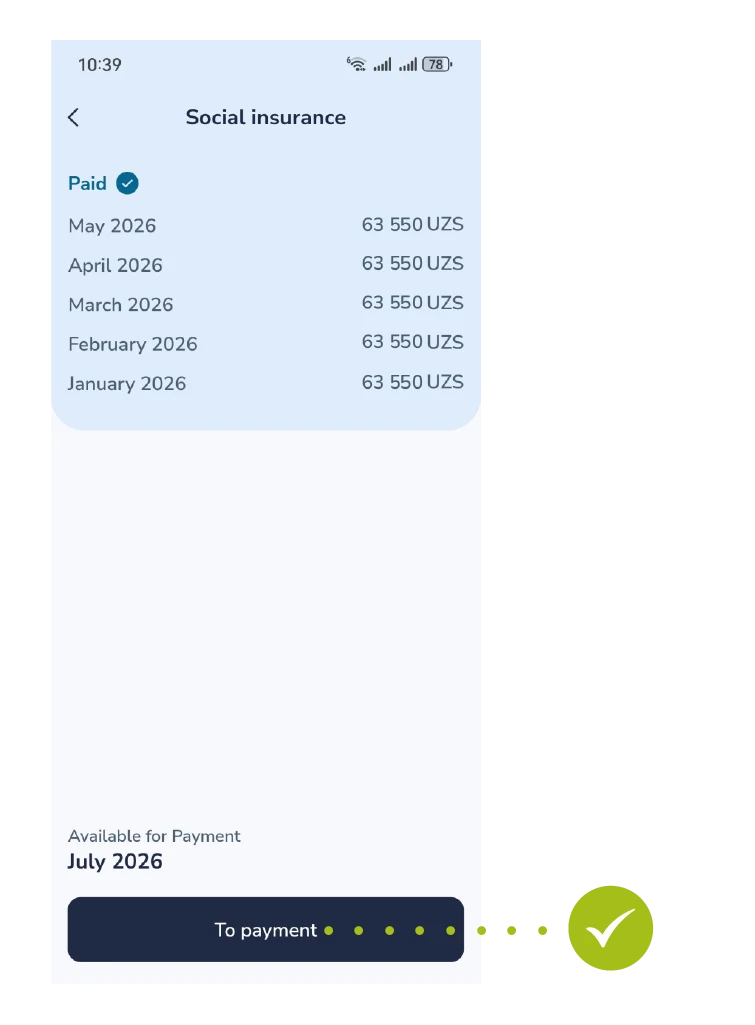
- The interface shows previously paid months and the current outstanding month. Tap the “To Payment” button.
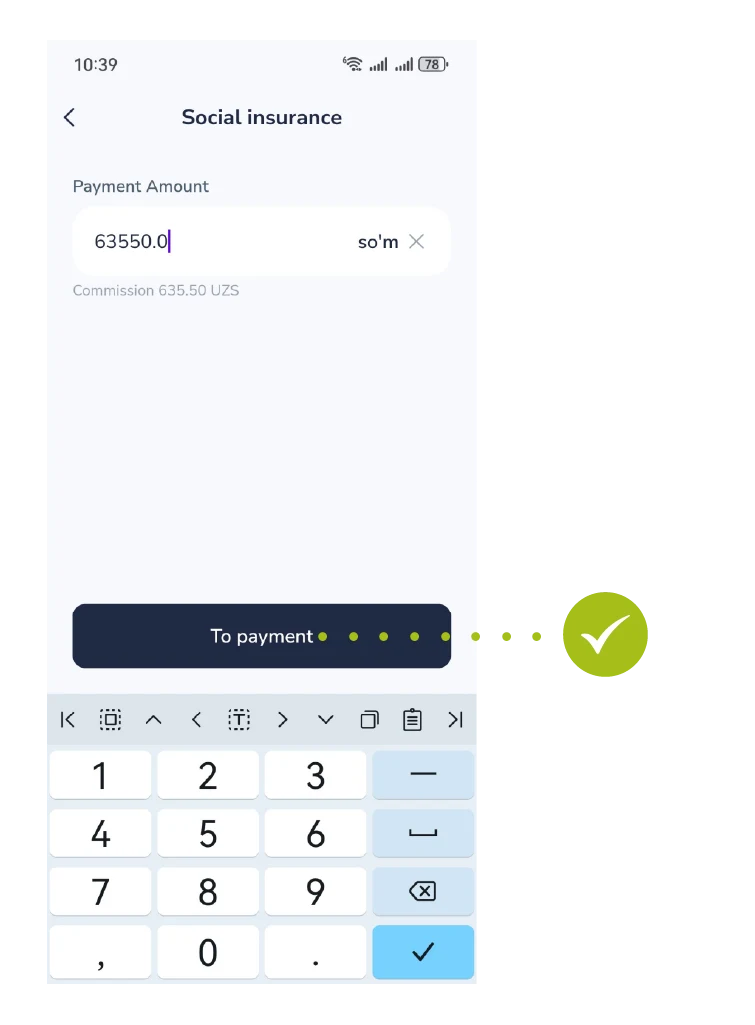
Step 5: Entering Payment Amount
- Enter the contribution amount in the box (the minimum recommended sum is pre-calculated) and click the “To payment” button.
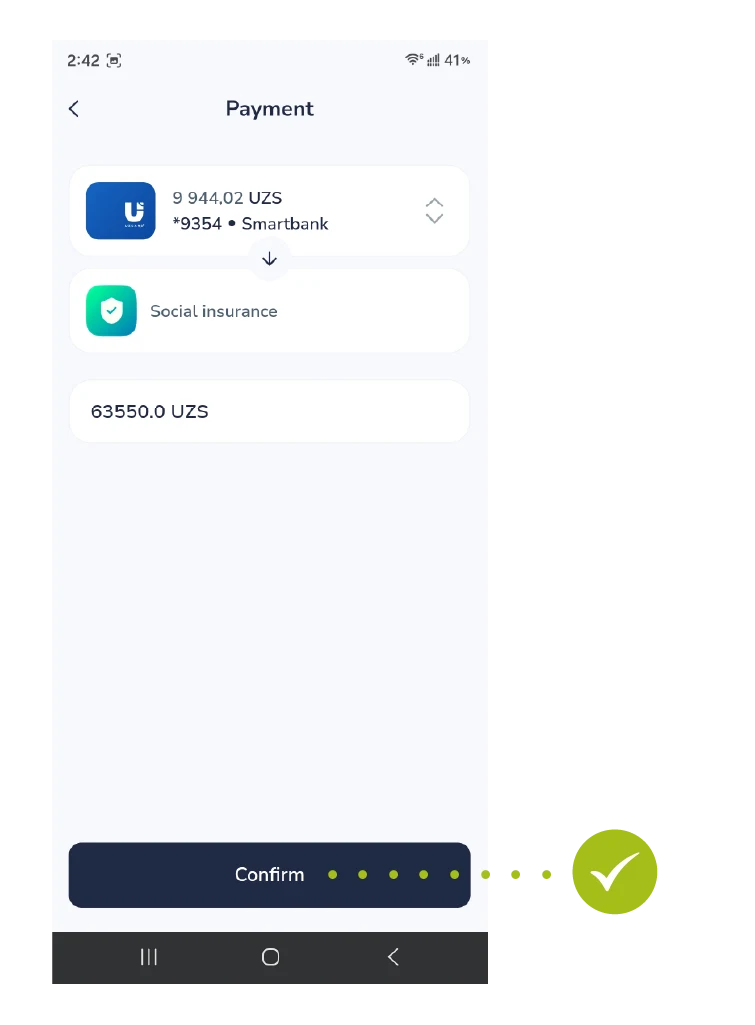
Step 6: Card Selection and Final Confirmation
- Select your preferred payment card. Verify the final summary details and click the “Confirm” button.
Step 7: Payment Successful
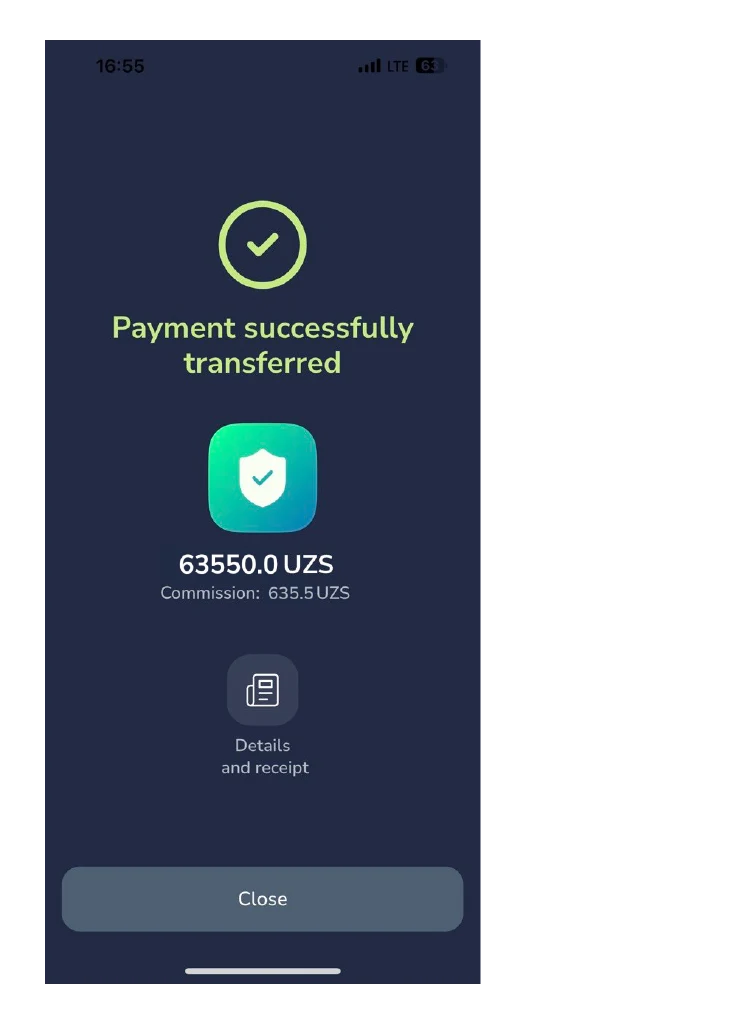
- A green success screen states “Payment successfully transferred”. You can view transaction receipts or close the flow by tapping “Close”.