
Call Center
The process of contacting customer support through the Baraka mobile app is simplified, so the user does not need to enter the number manually.
The system allows making calls directly from the app for quick communication with an operator.
Follow these steps to contact the bank specialists:
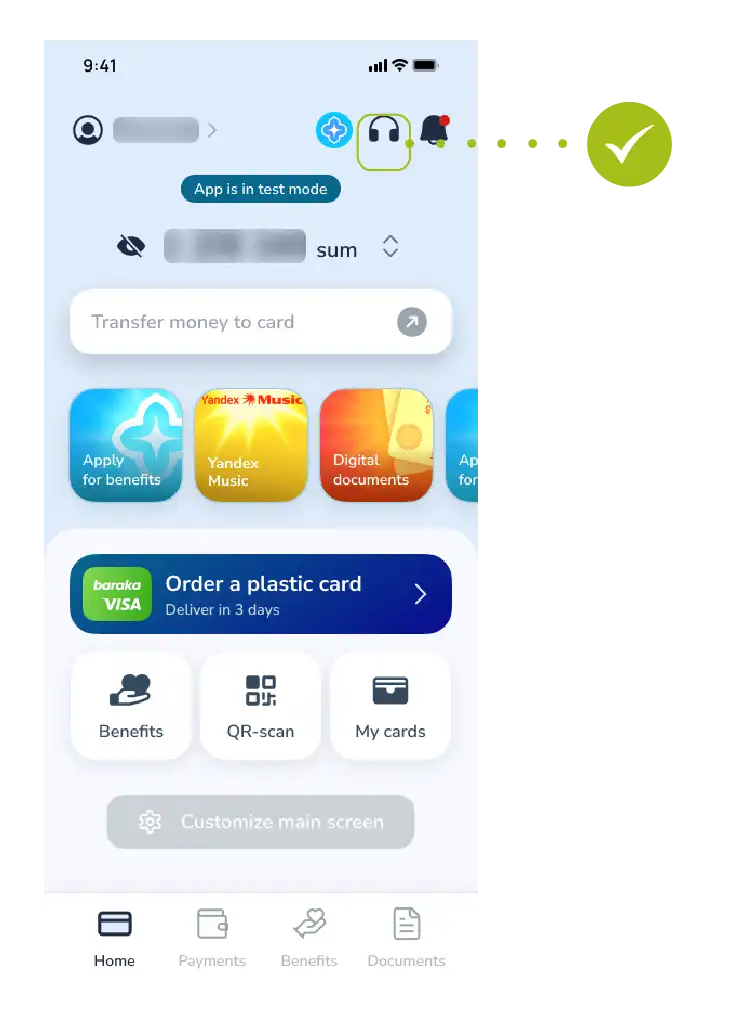
Step 1: Going to the Contact Section
- Tap the “Contact” button with the headphone icon located in the main menu of the app.
- This section includes all types of feedback channels.
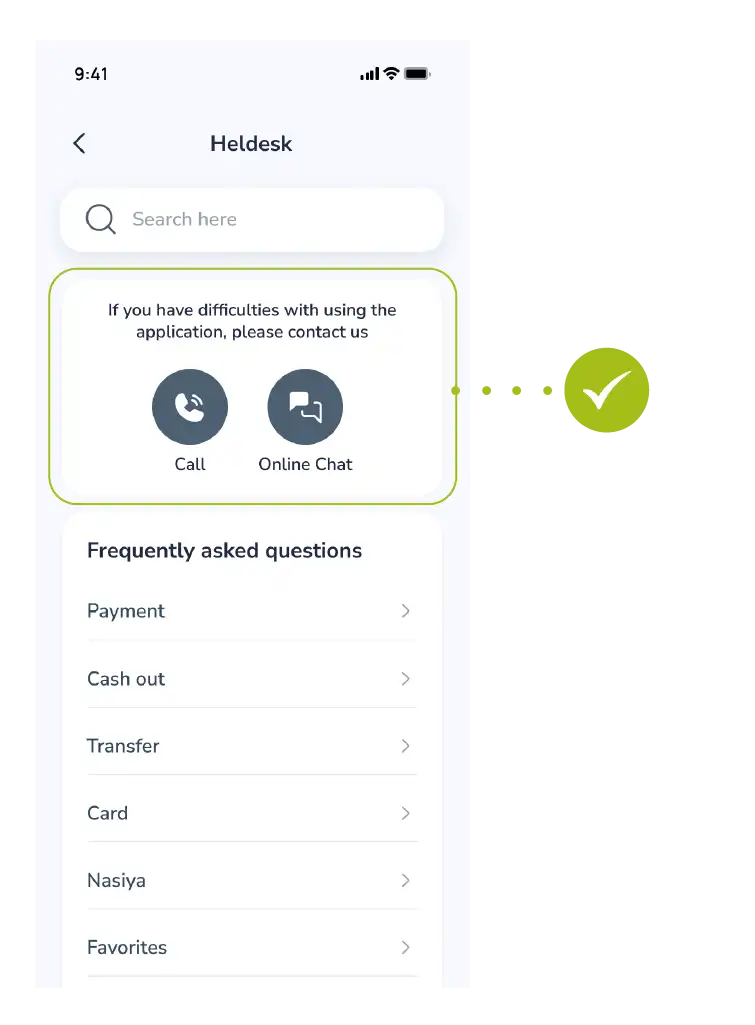
Step 2: Selecting the Call Optionh
- Several options may appear in the menu that opens.
- Select the “Call” button for a live conversation with an operator.
Step 3: Making the Call
- After tapping the button, the official call center number will automatically appear in your phone’s dialer window.
- You only need to press the call button to start.
For Reference: Through the call center, you can get help regarding card blocking, transaction discrepancies, or technical issues related to the app’s performance.

