
Social ID
The “Social ID” feature in the Baraka mobile app aggregates the user’s digital profile and personal identification data in a single window.
Through this section, users can quickly check their current status and personal details registered in the system.
Follow these simple steps to access your social ID information:
Step 1: Going to Profile Settings
- Access the main menu of the app.
- Tap the section with your name and surname (personal profile icon) located in the upper-left corner of the screen.
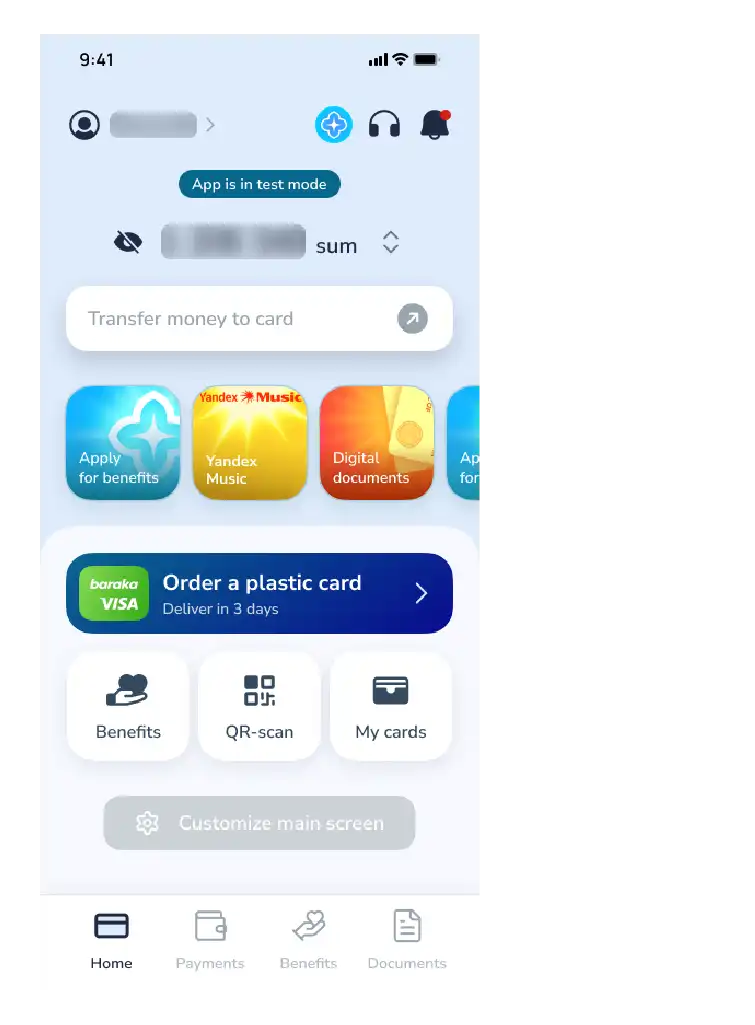
Step 2: Selecting the Identifier
- Once the personal information window opens, find and select the “My Social Identifier” button from the menu items.
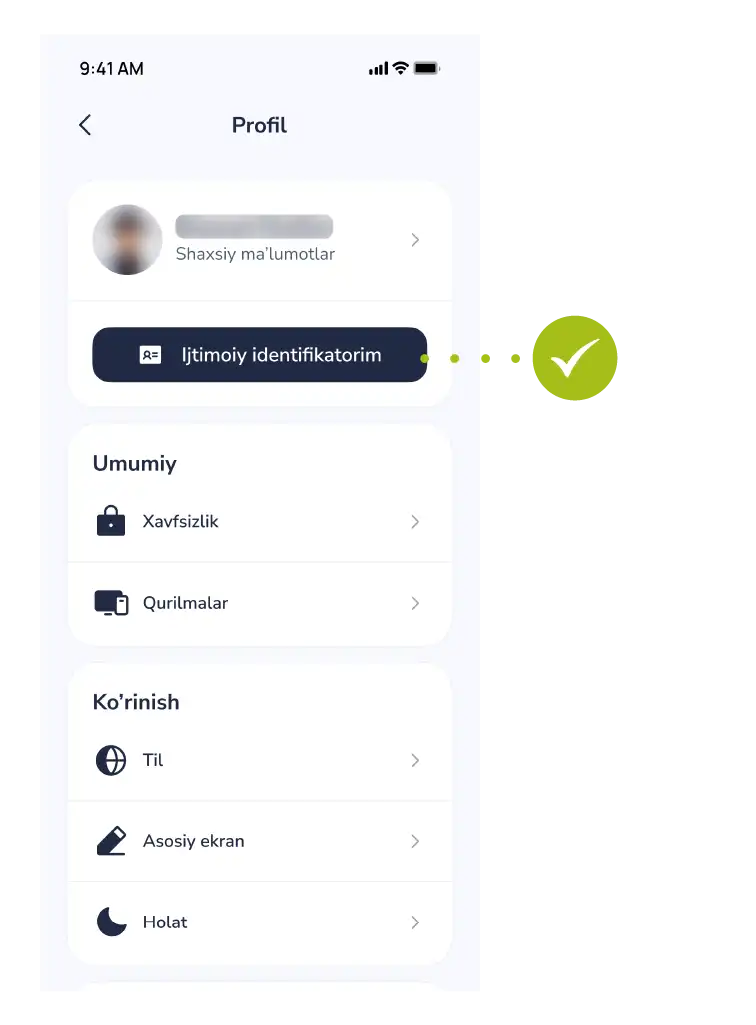
Step 3: Reviewing the Information
In this section, all the basic information relevant to you will be fully displayed:
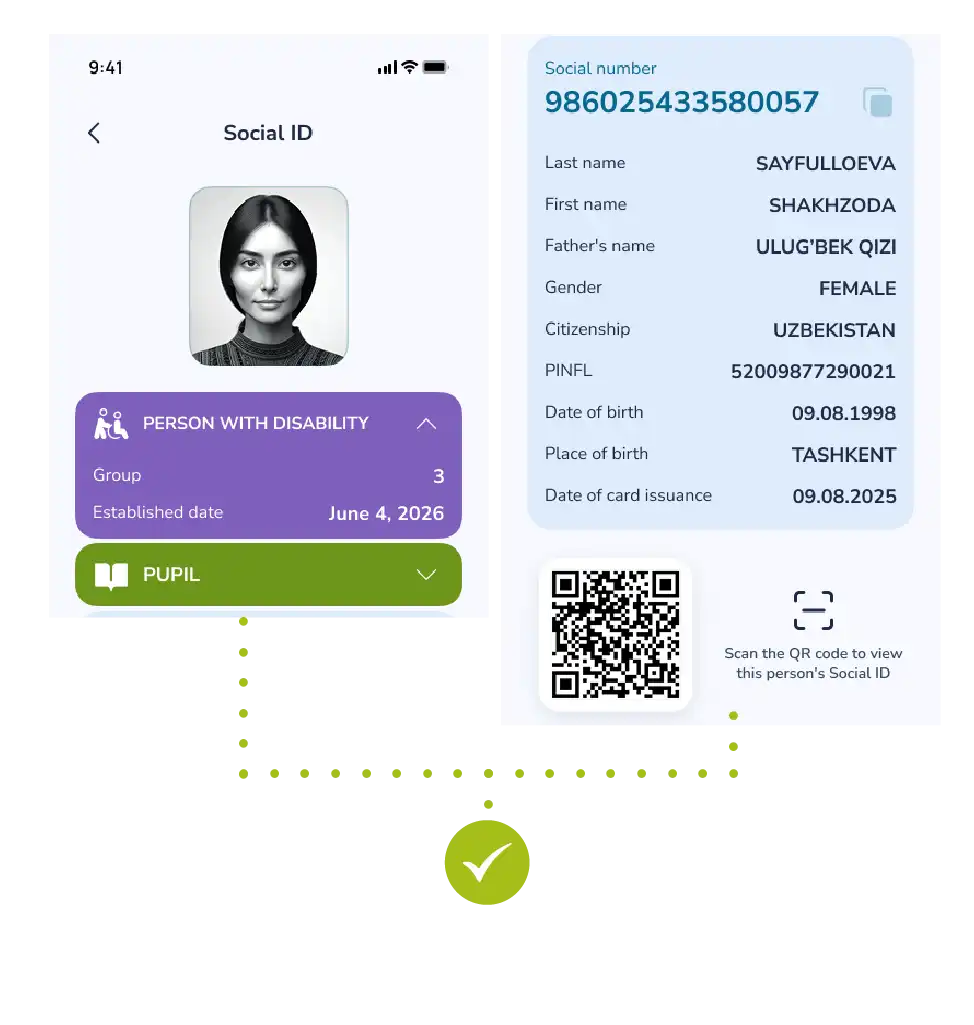
- Personal data of the user;
- Current identification status in the system;
- Other important social details.
Note: This information forms the basis of your digital identification in the banking system.
If you detect any inaccuracy in the information within this section, it is recommended to contact customer support immediately.

