
Money Transfers
This manual outlines the procedure for remote fund transfers between bank cards for system users. The system provides options to perform the operation either through the main menu or directly via the card management section. To ensure security, each transaction is protected by a one-time password (OTP), guaranteeing the accurate and secure delivery of funds to the recipient.
First method
Step 1: Select transfer
- Select the “Card Transfer” section on the home screen.
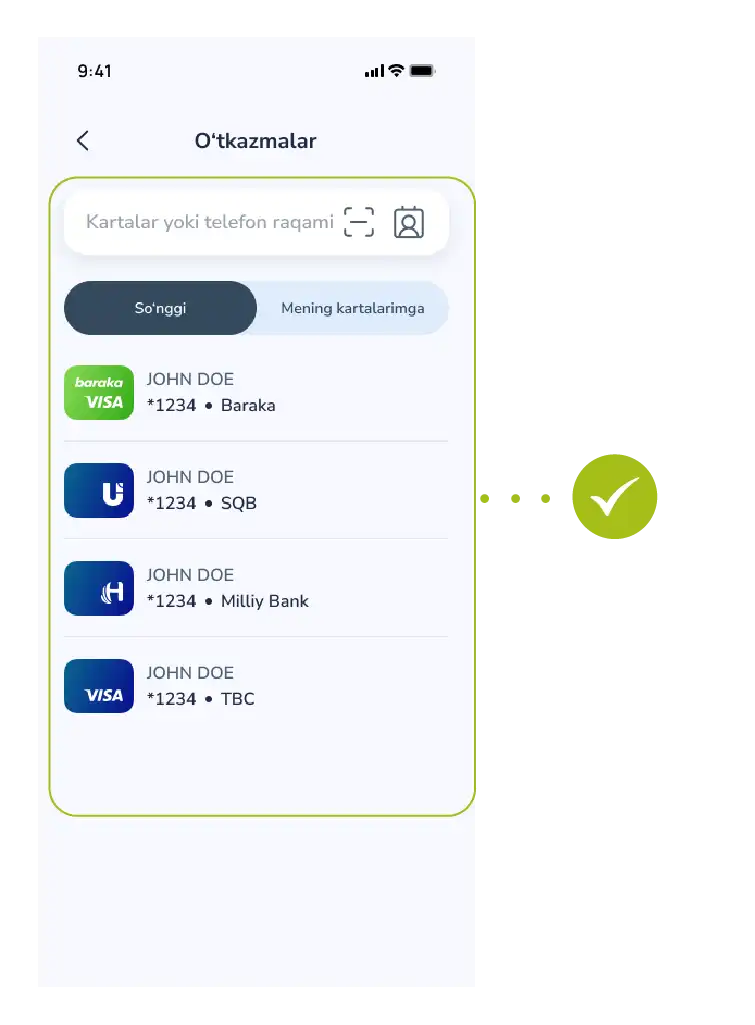
Step 2: Enter details
- Enter the recipient’s card number or phone number.
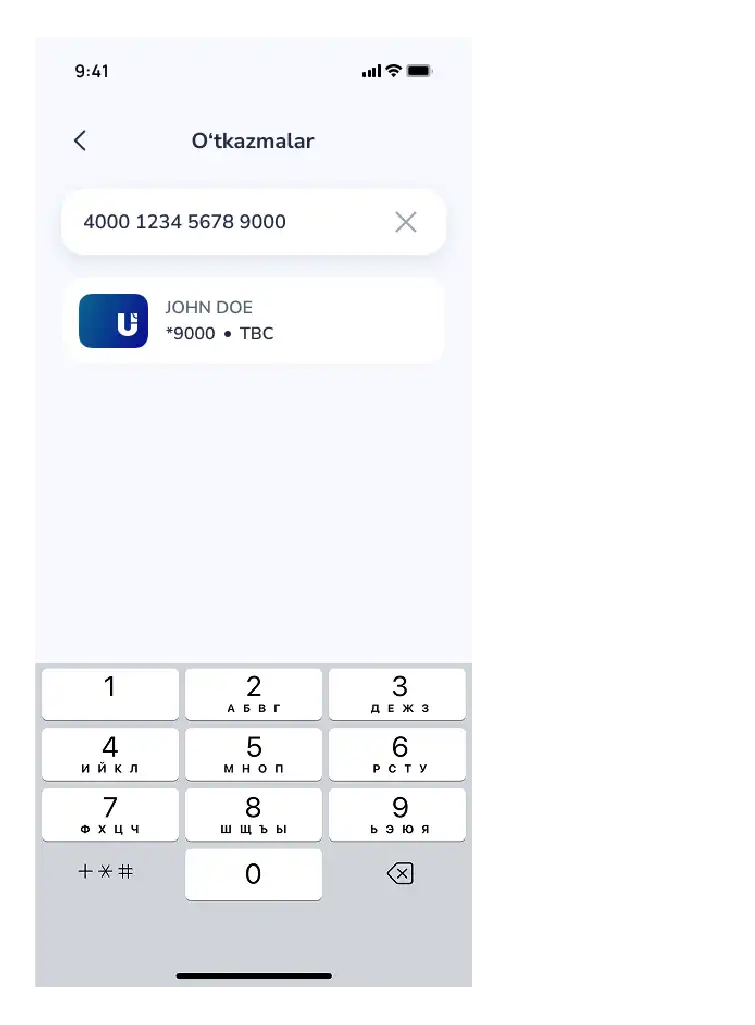
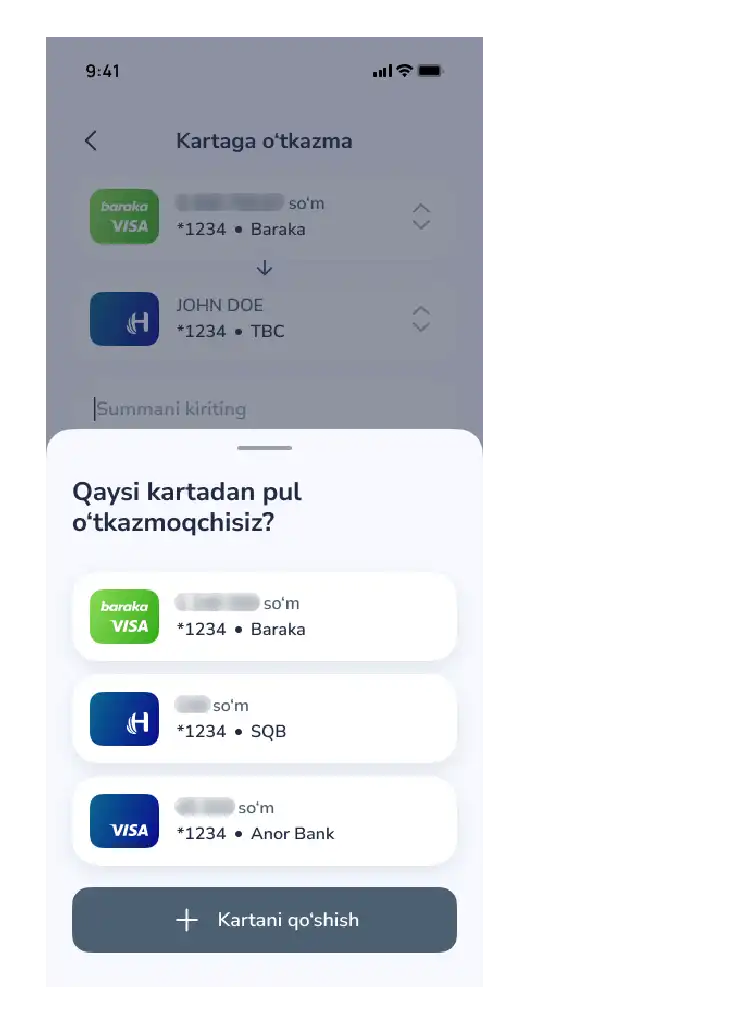
Step 3: Select card and amount
- Select the source card and enter the transfer amount.
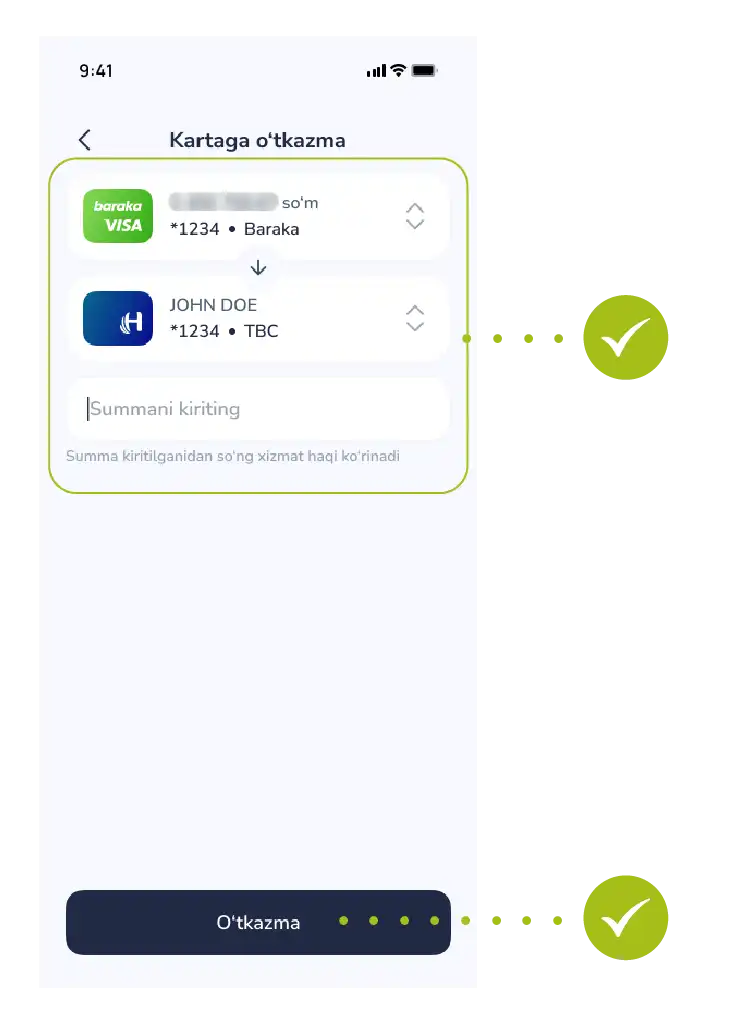
Step 4: Confirm transfer
- Tap the “Transfer” button
Step 5: Enter OTP
- Confirm using the OTP code.

Step 6: Completion
- Transaction successful.
 Second method
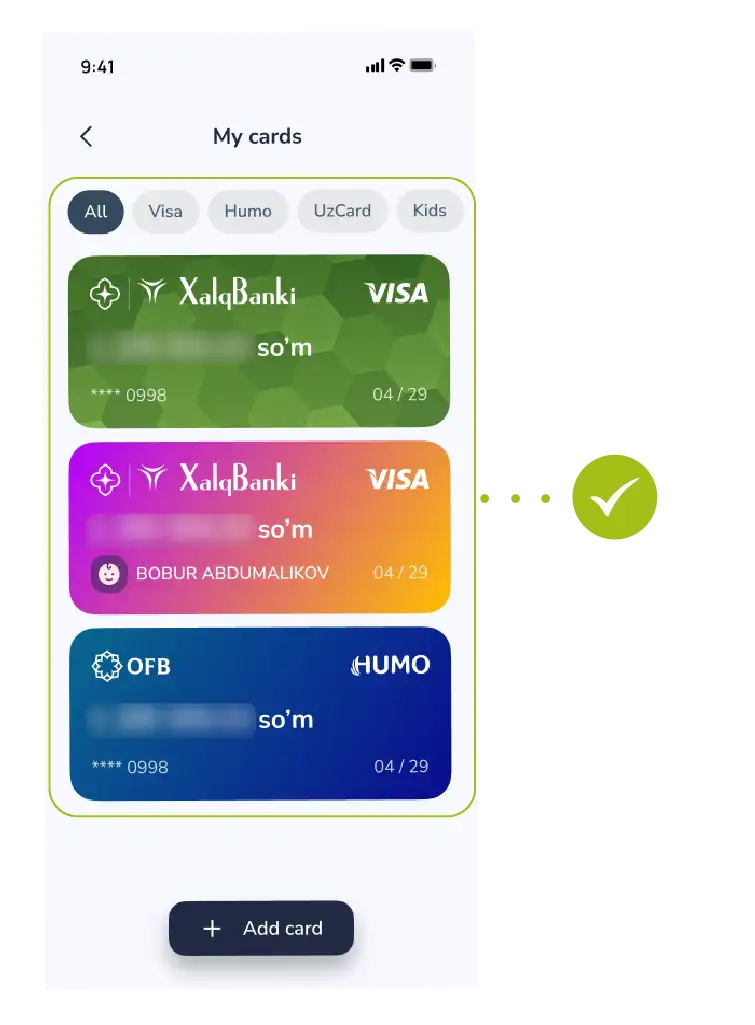
Step 1: Select card
- Navigate to the “My Cards” section.
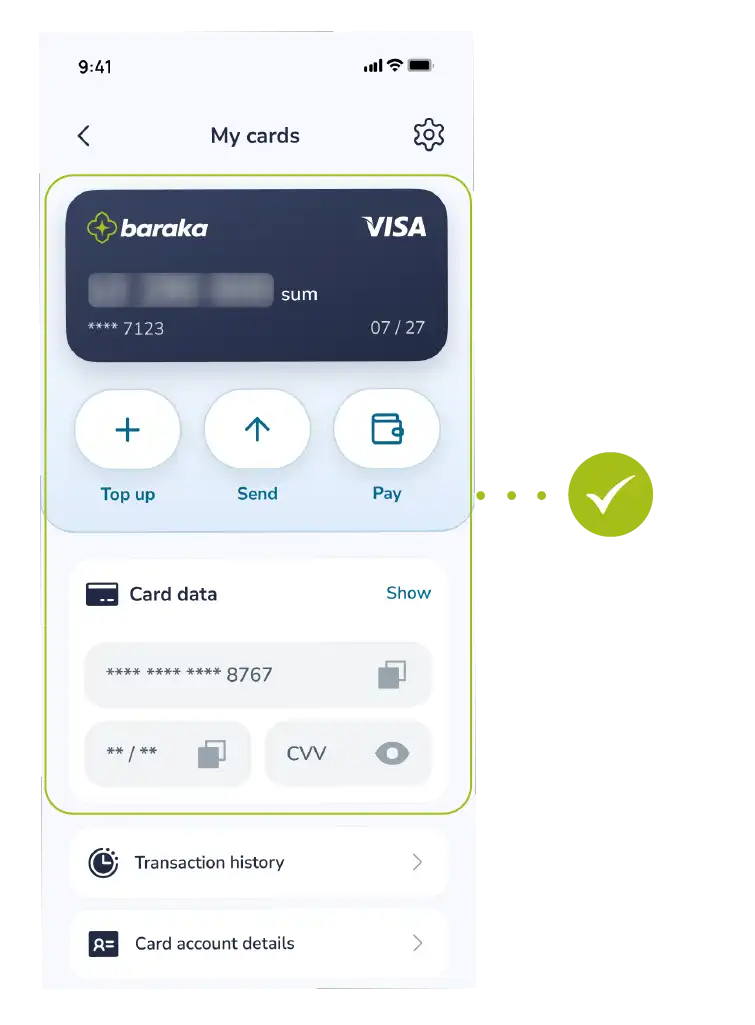
Step 2: Initiate transfer
- Select the desired card and tap the “Transfer” button.
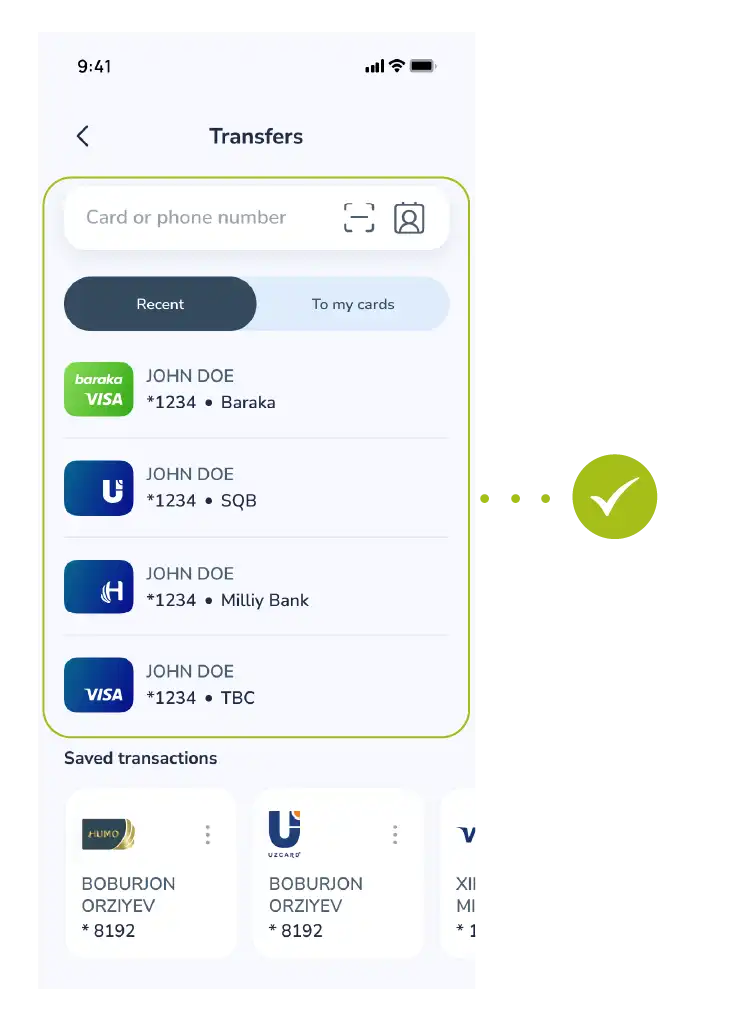
Step 3: Enter details
- Enter the recipient’s card or phone number.
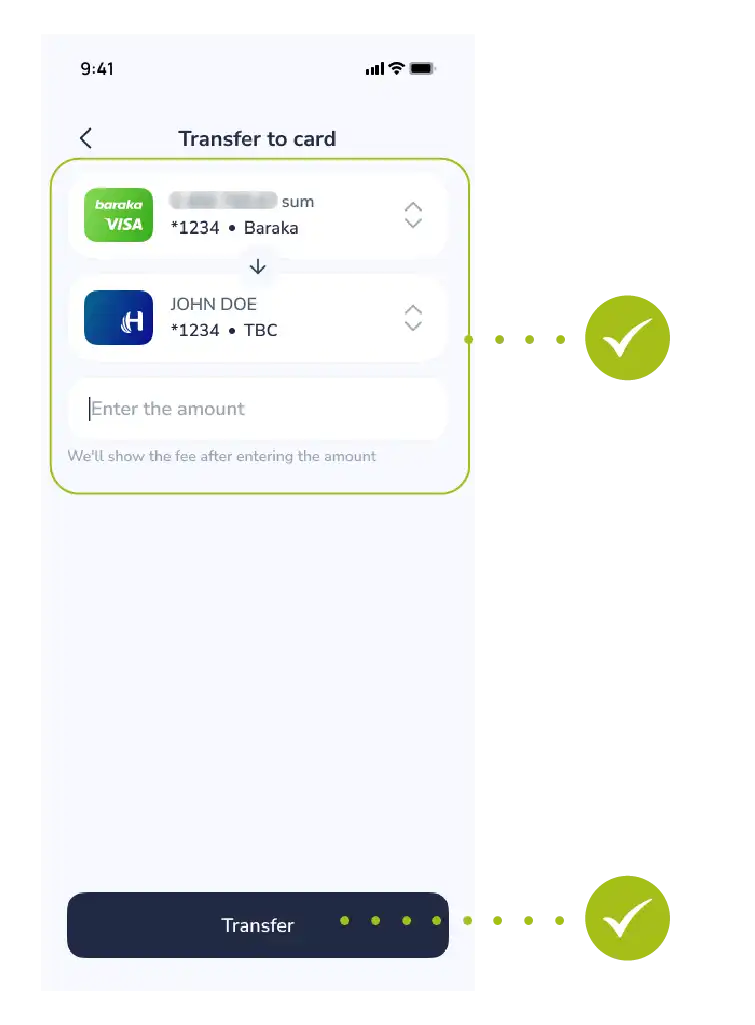
Step 4: Amount and confirmation
- Enter the transfer amount and confirm the action.
Step 5: Enter OTP
- Confirm the transaction using the OTP code

Step 6: Completion
- Transaction completed

Success! Your money transfer has been completed successfully.

