
 Uzbek
 Русский
 Uzbek (Cyrillic)
 Karakalpak
 English
Login
This manual explains the procedure for secure access to the user's personal account. The login process is carried out using a registered phone number and a private password, protected by a one-time password (OTP) to ensure an additional layer of security. By following the steps outlined below, you can access the system features and the personal data management section.
Step by step
- 1
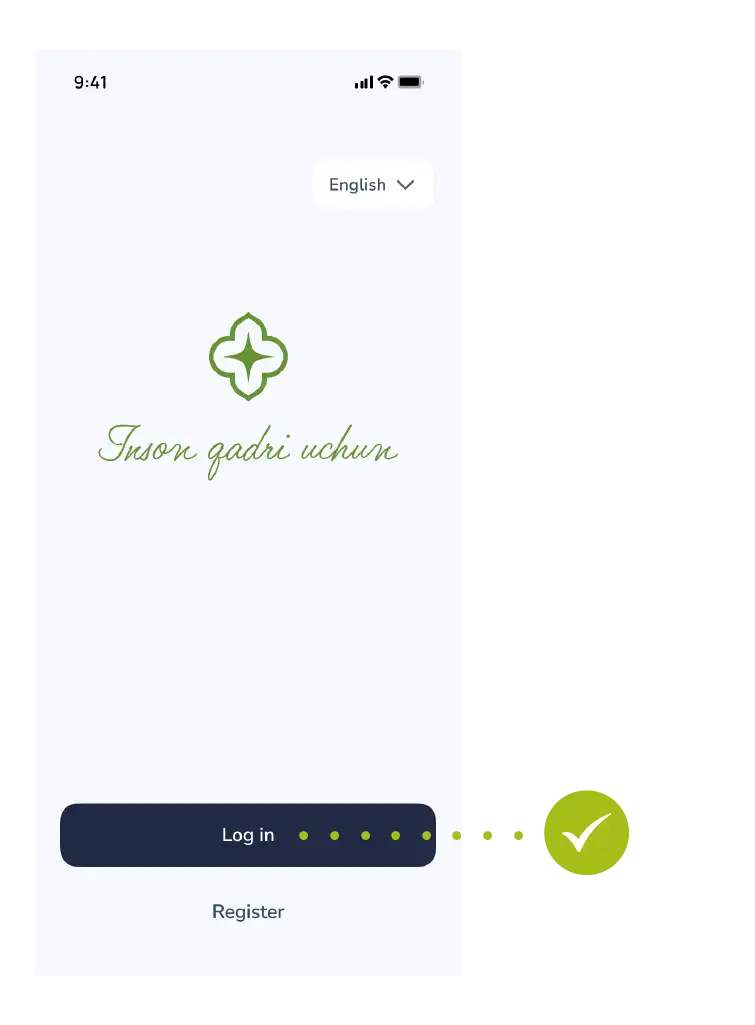
Sign in
Tap "Login" in the main menu.
- 2
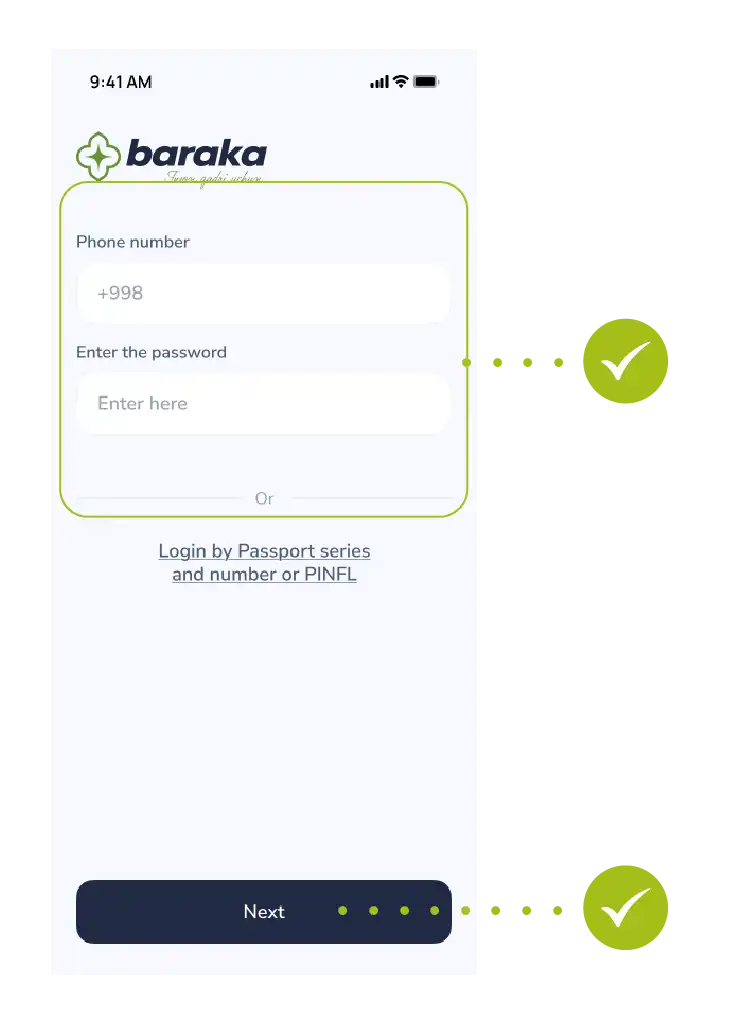
Enter your phone number
Enter your registered phone number.
Enter your password.
Tap the "Next" button to proceed.
- 3
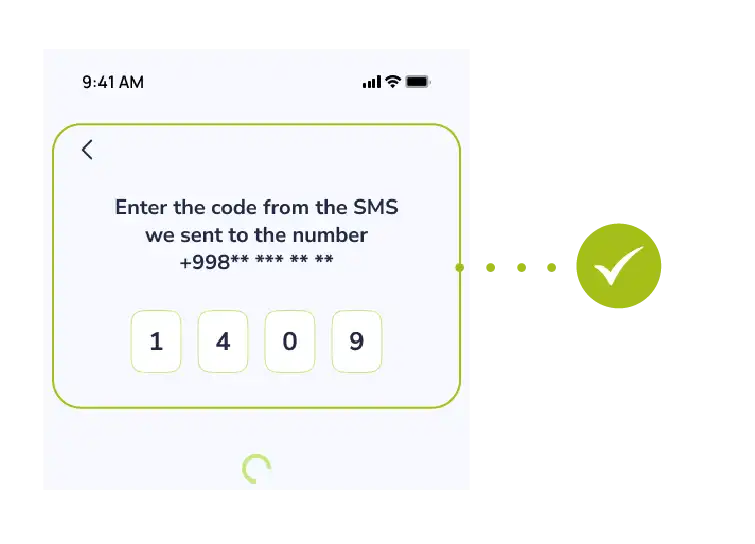
Enter SMS code
Confirm your login by entering the one-time OTP code sent to your phone.
Contact us
We are here to help.


Questions about your card
Call the bank that issued your card.
- Xalq Bank1106
- Aloqabank+998 71 230 77 77

Call from the app
In the main menu, tap “Contact” — the headphones button. Then tap “Call”.


